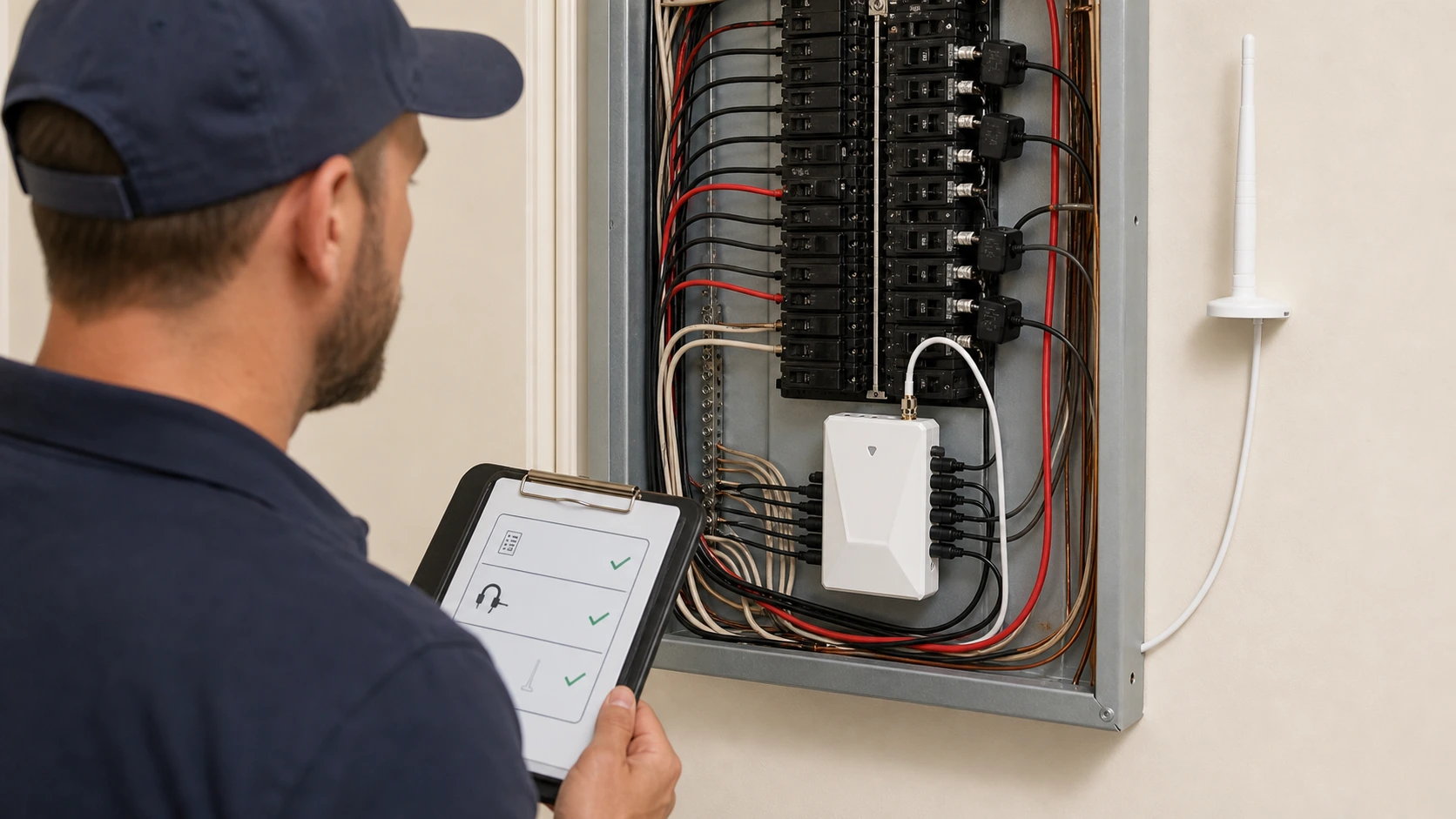
An energy monitor is not ready for customer handoff merely because hardware is present or an App screen shows a number. A qualified installer should leave a commissioning record that connects the approved project scope to device and account identity, the intended visible data, observed results, known limits, unresolved items, customer education, and named follow-up owners.
That record is evidence about a defined project at a defined time. It is not proof that every circuit is represented, every reading matches a utility bill, the installation is accurate under every condition, the home will save energy, or the system is certified for billing. Those conclusions require different evidence and, where applicable, decisions from the responsible professional, utility, authority, or product owner.
This guide follows Maya, a hypothetical electrical contractor, commissioning a home energy monitoring project for Chris, a hypothetical homeowner. They are not Grus customer cases. The scenario starts after qualified installation is complete. It does not teach anyone to open a panel, make connections, place or orient current transformers, inspect energized equipment, run live electrical tests, or troubleshoot electrical work.
The short answer: verify seven records before handoff
Maya closes the project only when seven connected records are complete:
- Approved scope: the customer question, intended views, included loads or circuits, and explicit exclusions.
- Project identity: the site, product model, account, documentation set, and responsible installer record.
- Data access: the named customer can reach the intended supported view through the approved account path.
- Observed views: the agreed whole-home, generation, or documented circuit views are recorded with time and context.
- Known limits: partial periods, network dependencies, unverified labels, excluded circuits, and unresolved conditions remain visible.
- Customer handoff: live power, accumulated energy, time boundaries, and support responsibilities are explained in plain language.
- Follow-up ownership: every open item and scheduled review has a named owner, due date, and evidence needed for closure.
The U.S. Department of Energy’s Federal Energy Management Program describes commissioning as a sequence of planning, investigation, implementation, handoff, and integration into ongoing operations. Its commissioning process guidance is written for federal facilities, not as a residential code or Grus product requirement. The useful general principle is that handoff includes documentation, people, system information, actions, and a future operating plan—not just equipment presence.
Freeze the approved scope before reviewing a dashboard
The commissioning record begins with the question the project was approved to answer. Chris may want whole-home visibility, a documented view of selected circuits, a solar consumption-and-production context, or a baseline before a planned upgrade. Maya writes that objective in one sentence and lists the included views before evaluating a screen.
This prevents an attractive dashboard from silently expanding the job. If the approved scope is whole-home visibility, a circuit label does not prove that every appliance has been identified. If selected circuits are in scope, an unlisted circuit does not become included merely because a value appears elsewhere. If solar context is included, the record must still distinguish observed import, production, and home-use views according to the documented configuration.
| Scope field | Record this | Boundary |
|---|---|---|
| Customer question | The decision or comparison the homeowner wants to support | A guaranteed reduction in consumption or cost |
| Intended view | Whole-home, generation, or specifically documented circuit visibility | Complete appliance identification or every-circuit coverage |
| Observation period | Start time, end time, time zone, and whether the period is complete | That a partial hour or partial day represents normal use |
| Exclusions | Loads, panels, circuits, buildings, accounts, or periods outside the approved job | That anything not listed is automatically covered |
| Decision owner | Who decides whether the observed evidence satisfies the agreed scope | That the App can accept electrical, utility, or contractual work |
If the scope is unclear, Maya does not improvise a broader claim during handoff. She records the gap and routes it to the responsible owner.
Confirm project, device, documentation, and account identity
A screenshot without identity is weak commissioning evidence. Maya records the property or service area, installation record reference, current model identifier, applicable product-document revision, supported account owner, and the date and time of the observation. She also identifies the qualified professional responsible for the installation record and the customer role receiving the handoff.
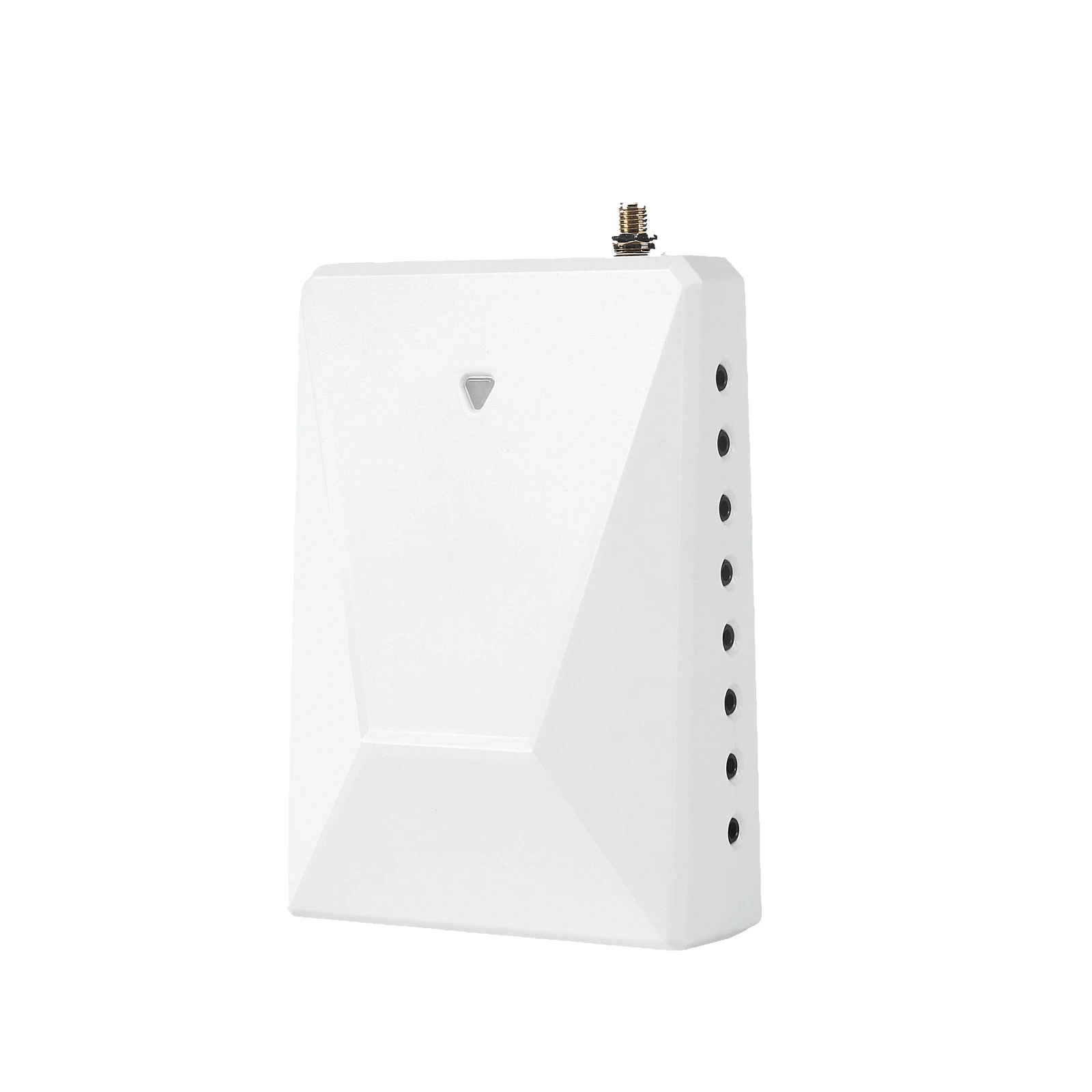
For the approved Grus WattPanel-2X product boundary, documented capabilities may include two main current transformers, monitoring of whole-home use and up to 16 individual circuits with supported sub-CTs, bidirectional measurement, and visibility into values such as voltage, current, power factor, active power, frequency, and historical consumed or production data. The documented connected path uses Tuya and 2.4 GHz Wi-Fi with an external antenna. Those product facts still do not prove that a particular site is compatible, every supported channel is used, every label is correct, or every displayed value has been independently validated.
Maya therefore records what is present in the approved project rather than copying the maximum product capability into the handoff. If a model, channel assignment, account owner, document revision, or configuration fact is uncertain, the field says unverified, names the owner, and states what evidence is needed next.
Observe the intended views without promoting them into proof
Maya asks Chris to open the supported account path and identify the agreed view. She records what was visible, the time, the observation context, and whether the period was complete. The useful statement is narrow: “The named account displayed the agreed whole-home live-power view at the recorded time.”
The same observation does not establish permanent connectivity, measurement accuracy under every condition, complete circuit coverage, utility-meter equivalence, correct appliance attribution, or future savings. Each of those would need its own approved method and evidence.
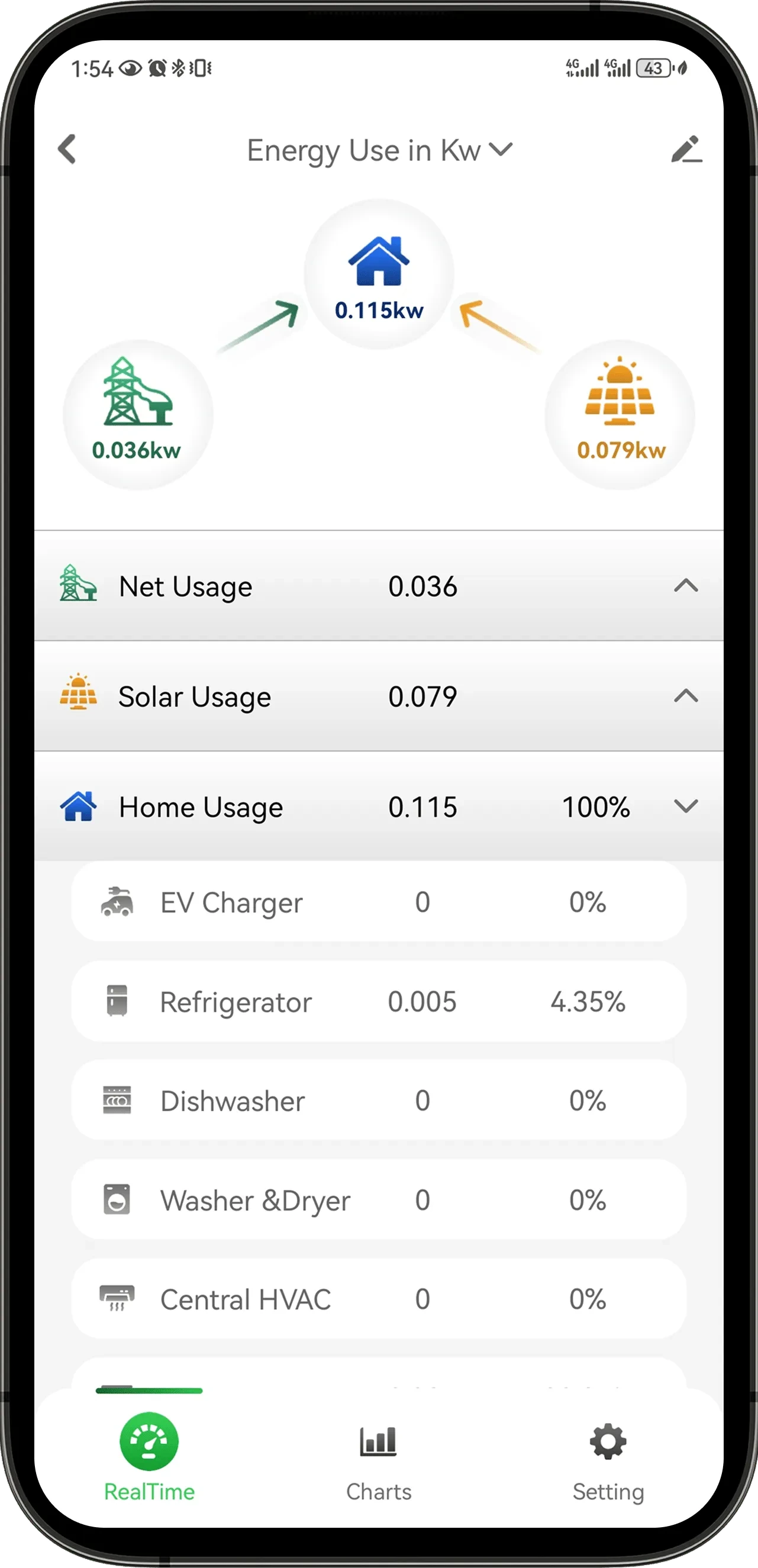
The App image above illustrates a supported type of energy-use view; its example values are not a commissioning result for Maya and Chris. A proper record uses the actual approved project, account, time boundary, and responsible observer.
Maya separates four kinds of evidence:
- Identity evidence: which site, product, account, document set, and observer are involved.
- Visibility evidence: which intended view appeared at a recorded time.
- Continuity evidence: whether an agreed complete observation period exists without unexplained gaps.
- Interpretation evidence: what decision the data supports and which conclusions remain outside scope.
This separation makes the record useful when a question appears later. A reviewer can see whether the issue is missing identity, missing data, an incomplete period, or an unsupported interpretation.
Explain live power, accumulated energy, and time boundaries
Chris should leave the handoff knowing that a live power value and an energy total answer different questions. Kilowatts describe the rate of power at a moment. Kilowatt-hours accumulate energy across time. A changing live value can help Chris observe what the home is drawing now; a daily or monthly total is more appropriate for comparing complete periods.
Maya records the time zone, start and end boundaries, and whether “today” began at midnight in the displayed account context. She points out partial days, missing intervals, device or network interruptions, and any difference between a dashboard period and the utility’s billing period.
The U.S. Department of Energy’s FEMP metering guidance recommends connecting meter selection and communications to a metering plan and the intended application. Again, that federal guidance is not a residential product requirement. The transferable principle is that a reading only becomes useful evidence when its purpose, boundary, communication path, and application are clear.
A home monitoring dashboard also remains separate from the utility’s billing authority. Maya may show Chris how to align complete time windows for an informed comparison, but she does not promise exact agreement or label the monitor utility-grade, billing-grade, or revenue-grade without specific approved evidence.
Use a commissioning flow that preserves unresolved evidence
The commissioning sequence should carry scope, observations, limits, and ownership together. The following diagram is a documentation flow, not an electrical installation or testing procedure.

That return path matters. If Maya discovers a missing label, incomplete period, account-access problem, or unsupported interpretation, the item remains open with an owner. It is not erased merely to obtain a customer signature.
Make the evidence table observable and attributable
A compact commissioning table is more useful than a generic “passed” checkbox. Each row says what the approved scope expected, what was observed, when it was observed, who observed it, what remains unknown, and who owns the next action.
| Commissioning row | Useful evidence | Wording to avoid |
|---|---|---|
| Account access | Named customer role reached the intended supported account view at the recorded time | “Remote access will always work” |
| Whole-home view | Agreed live or accumulated view was visible with a defined time context | “Every load is measured accurately” |
| Documented circuit view | The approved label and corresponding view appeared in the project record | “The App automatically identified the appliance” |
| Generation context | The agreed supported production or bidirectional view was visible | “Utility import and export will match the bill exactly” |
| Historical period | A complete defined period was available, or a gap was explicitly recorded | “This partial day is the normal baseline” |
| Customer explanation | Chris could identify the agreed view, time period, and support route | “The homeowner accepts all technical conclusions” |
Maya avoids a single overall pass/fail label because different rows can have different owners and evidence. The installation record, account access, historical continuity, utility comparison, and customer education are related, but they are not interchangeable.
Keep installation, product, utility, and customer responsibilities separate
The handoff states who owns each decision after Maya leaves.
| Party | Owns | Does not automatically own |
|---|---|---|
| Qualified installer | Site-specific assessment, safe work, local requirements, installation record, documented project configuration, and contractor workmanship | Utility billing, undocumented product claims, or unlimited future support |
| Homeowner | Approved account participation, intended use, questions, network availability where documented, and notification of relevant site changes | Electrical work, product certification decisions, or unsupported data conclusions |
| Utility | Utility meter, tariff application, billing period, and bill questions | Contractor workmanship or product-dashboard support |
| Grus | Approved product documentation and product-specific support within confirmed terms | Local site assessment, electrical work, permits, contractor price or schedule, utility decisions, or unapproved partner commitments |
The customer record also separates support from emergency or electrical response. A chart is not a safety inspection, fault diagnosis, repair authorization, or instruction to interact with an electrical panel. Physical electrical concerns go to the appropriate qualified professional under the actual site process.
Hand over known limits, open items, and a review schedule
Maya gives Chris a visible limitations section rather than burying caveats in small print. It lists the excluded scope, incomplete periods, unresolved labels, network dependencies, undocumented comparisons, and any item that still needs evidence. Each open item has one owner and one next action.
The review schedule states when the record should be revisited. Useful triggers include account transfer, network change, device replacement, panel or circuit change, solar or EV work, renovation, unexplained data gaps, a utility-plan change, or a new customer decision that was not part of the original scope.
At review, the owner confirms:
- the site, model, account, and documentation identities are current;
- the approved scope and exclusions still match the customer’s question;
- intended views remain available for the defined periods;
- open items still have an owner and evidence request;
- customer and support contacts remain correct; and
- no observation has been promoted into an accuracy, billing, savings, certification, safety, or complete-coverage claim.
Commissioning succeeds when the record remains maintainable after the installer leaves, not when every field has been forced into a green status.
Bring an evidence-ready brief to the next installer project
Before discussing another home energy monitoring project, prepare the customer question, site context, intended whole-home or documented circuit views, known generation or major-load context, account owner, network context, desired observation period, exclusions, decision owner, and unresolved questions. That brief helps a qualified project conversation begin with verifiable scope rather than an assumed product outcome.
To review a project brief and the documented product boundary, discuss an installer-ready energy monitoring project.