
Confirm heating type
Start with baseboard or supported heating system category before looking at app features.
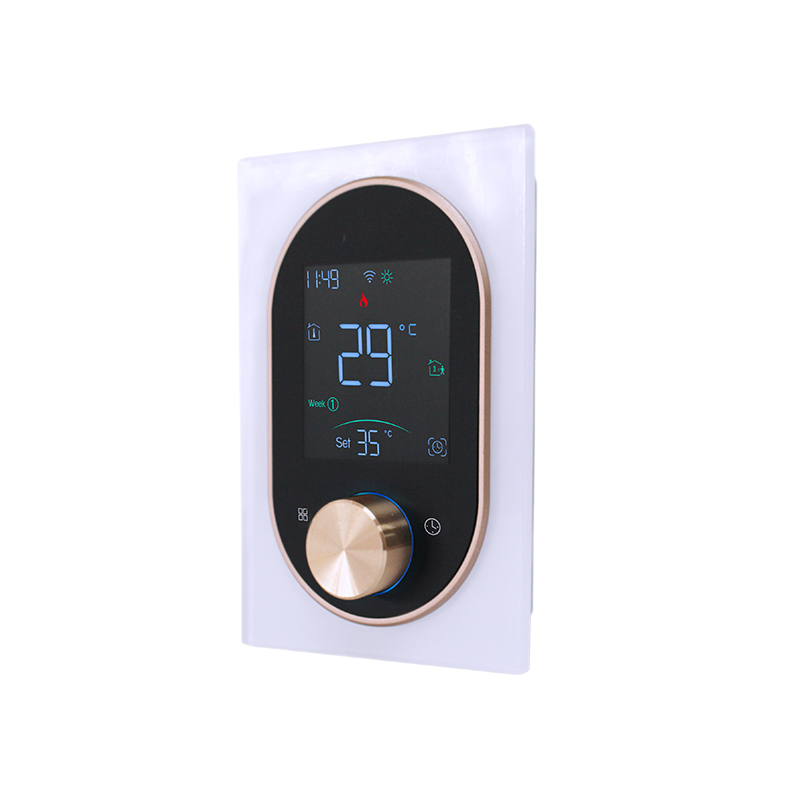
Control compatible baseboard heating from the wall or app after confirming thermostat category, voltage, wiring, and load fit.
Start with baseboard or supported heating system category before looking at app features.
Review voltage category, wiring, load requirements, and final product documentation.
Use checkout when fit is clear; use support when system category or installation ownership is unclear.
EcoNet-BH is a smart thermostat for supported baseboard heating systems. The buying decision should stay anchored to compatibility, not appearance alone.
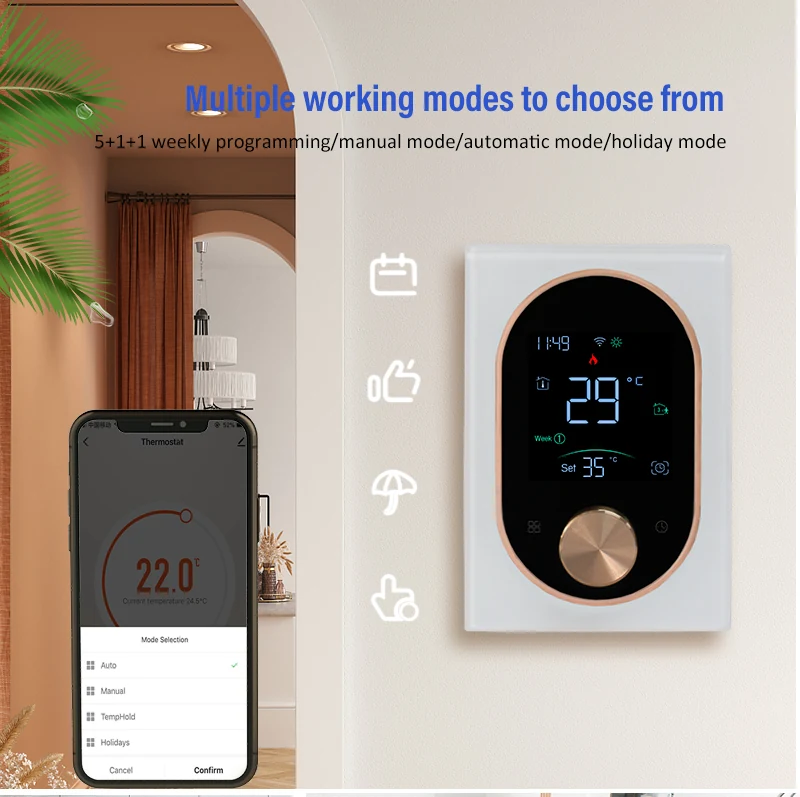
Use the wall device and app for supported heating routines after compatibility is confirmed.
Plan heating schedules only when voltage, wiring, and load requirements match the product documentation.
When category, wiring, or installation responsibility is unclear, pause checkout and use support.

Thermostat compatibility depends on the heating system behind the wall, not just the device shape or app screen.
These images are for buying and fit review. Electrical or heating-system work should follow final documentation and qualified local guidance.
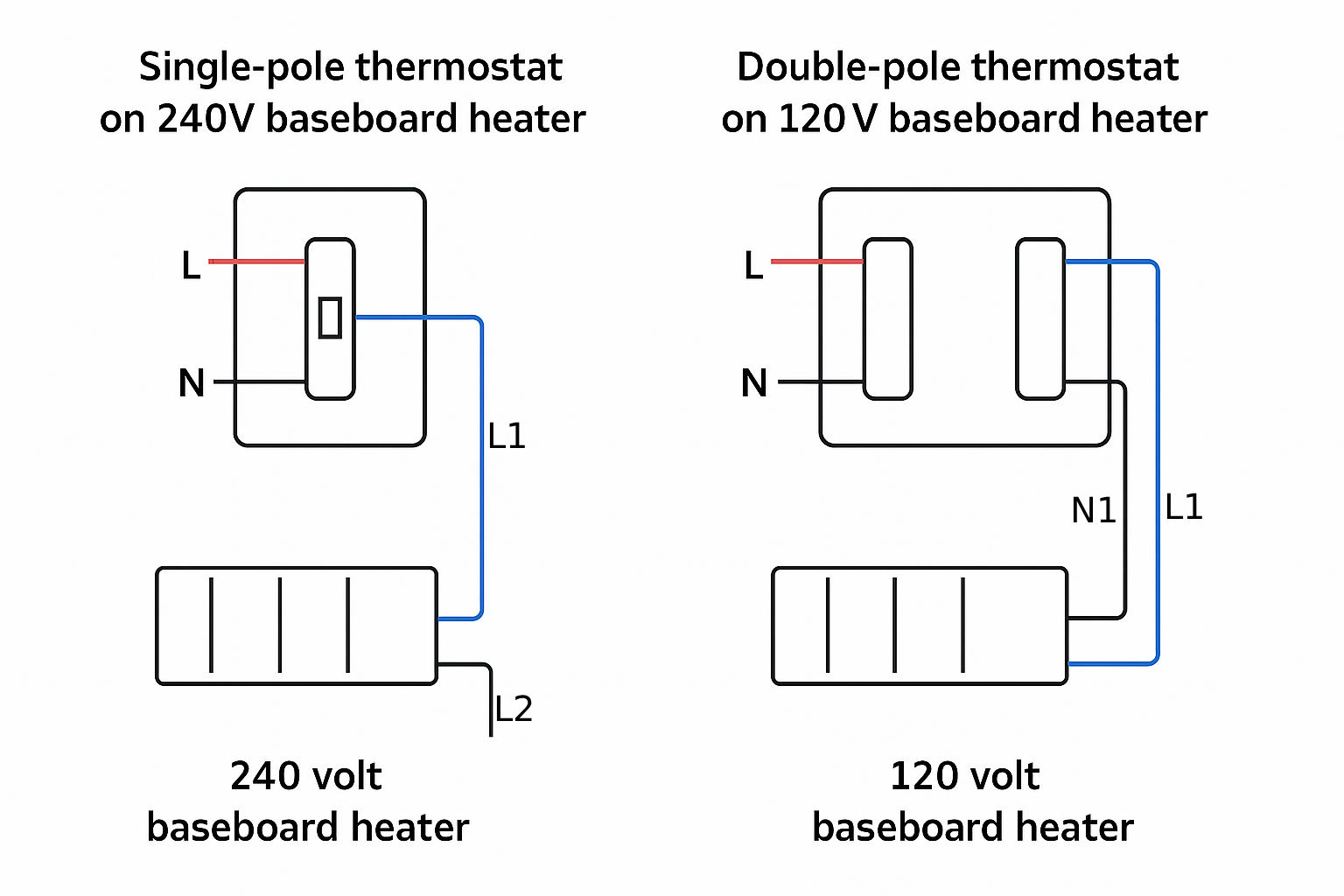
Confirm the current thermostat category and heating type before selecting EcoNet-BH.
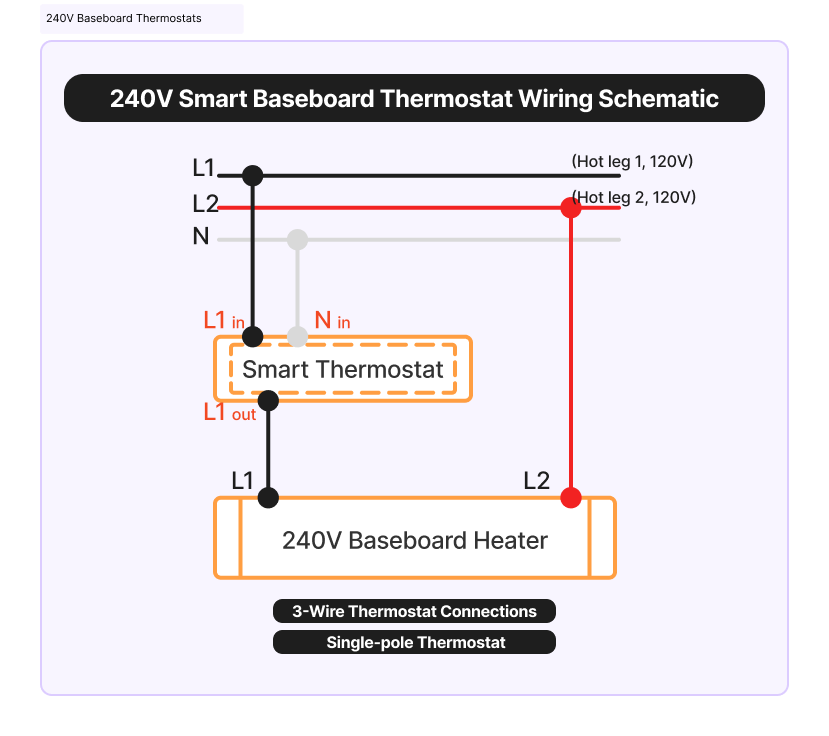
Use wiring and voltage visuals for compatibility review, then follow the product manual for installation.
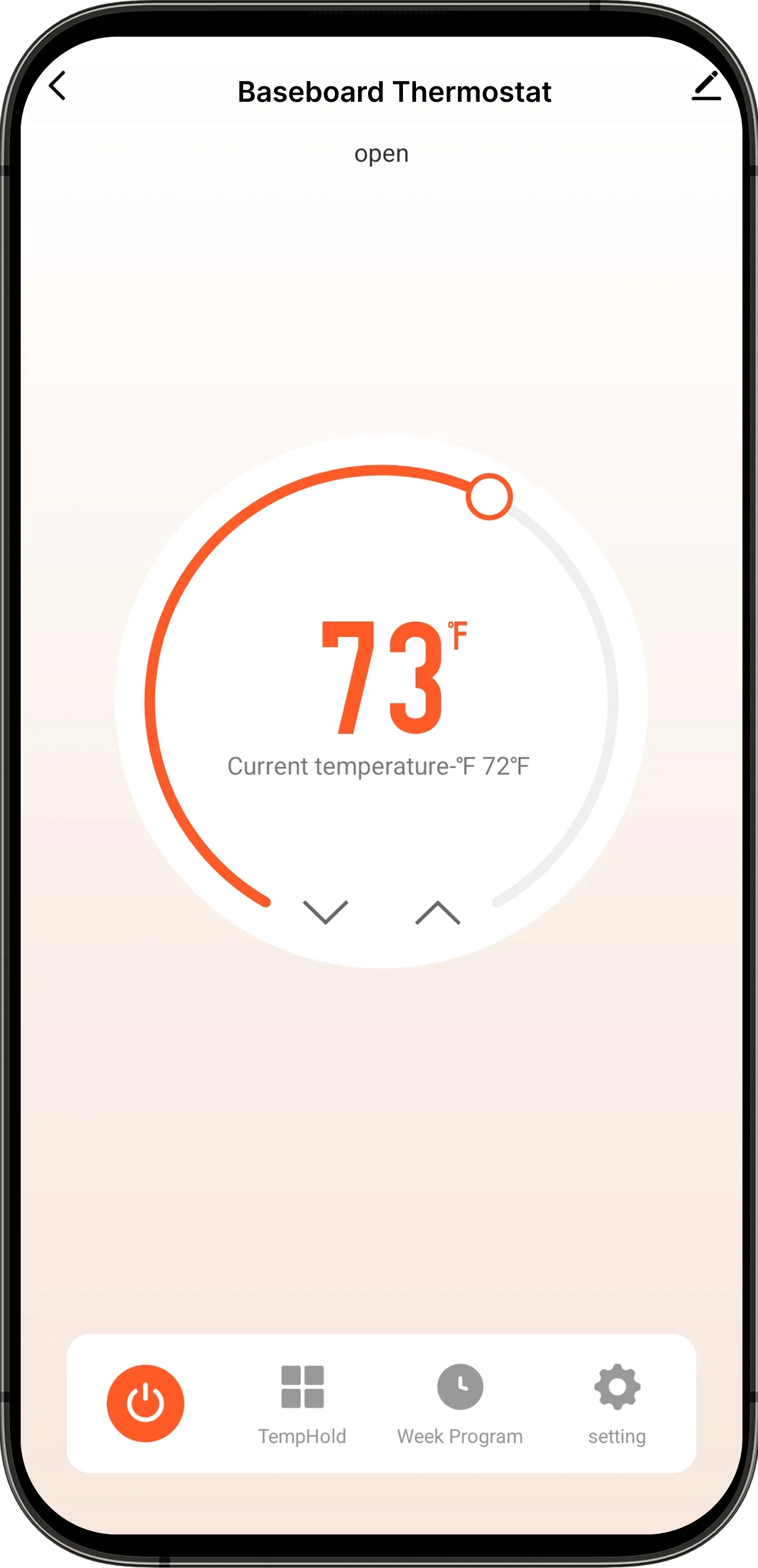
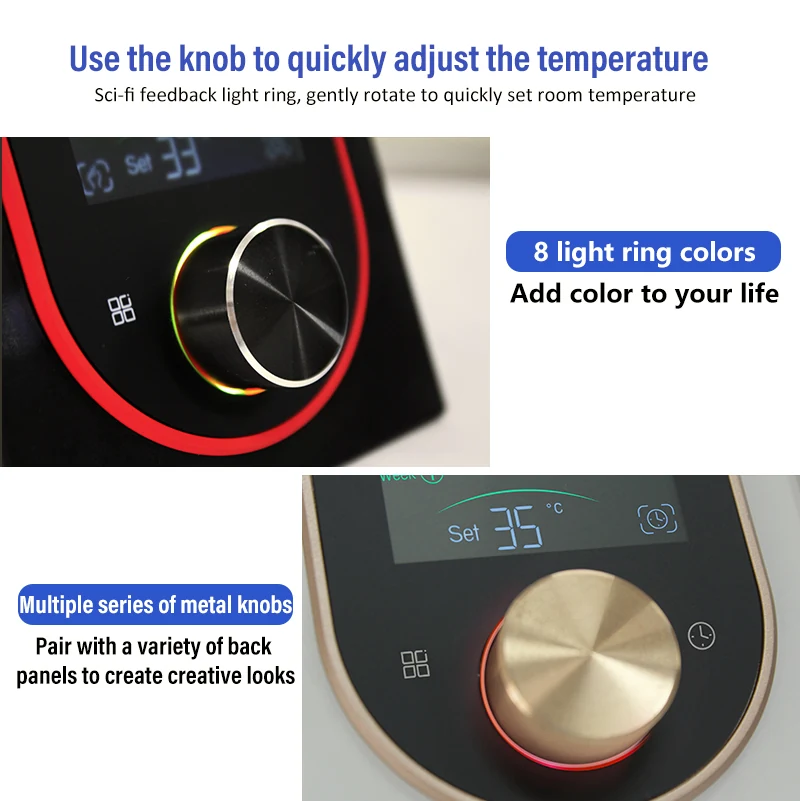
Use control visuals to understand the experience after product fit is clear.
Review the thermostat, compare the fit questions, then choose checkout or support when the system details are clear.
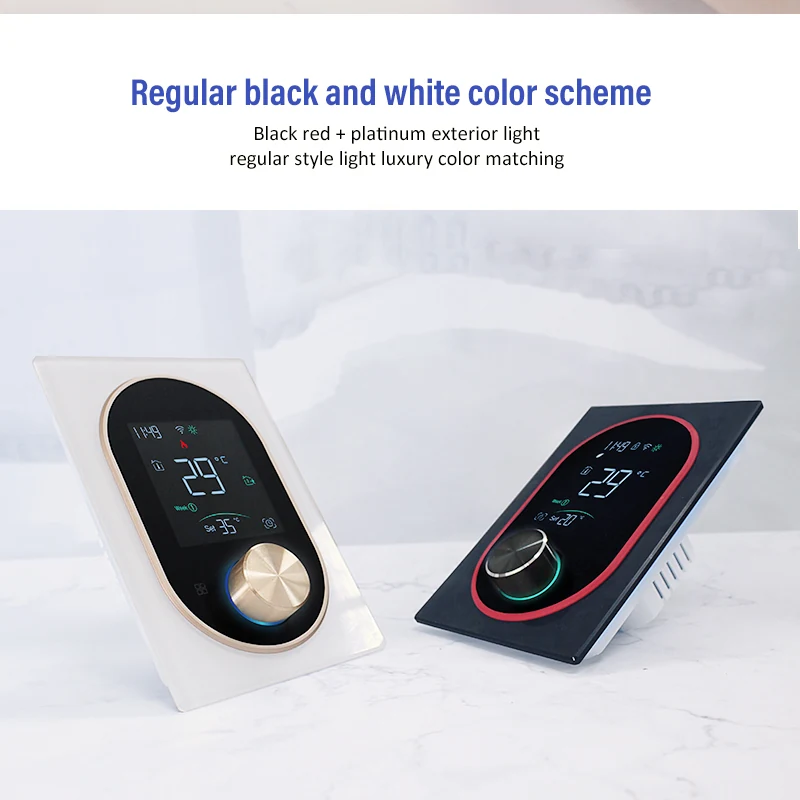
The BHT-9000-UH manual lists the following package contents. A floor sensor is optional; confirm its inclusion in the selected shipment before ordering.
BHT-9000-UH baseboard heating control.
For the manual's mounting arrangement; the installer must verify the installation box.
Model-specific operating and installation information.
The manual lists a QC-passed slip; it is not a certification or independent performance report.
Use this checklist before planning an order or asking support to review compatibility.
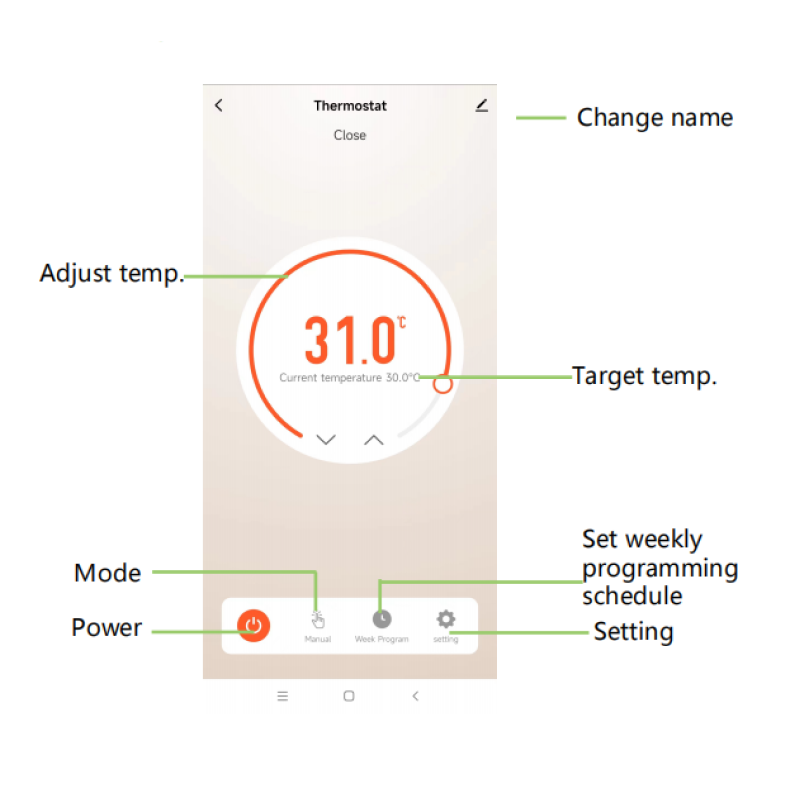
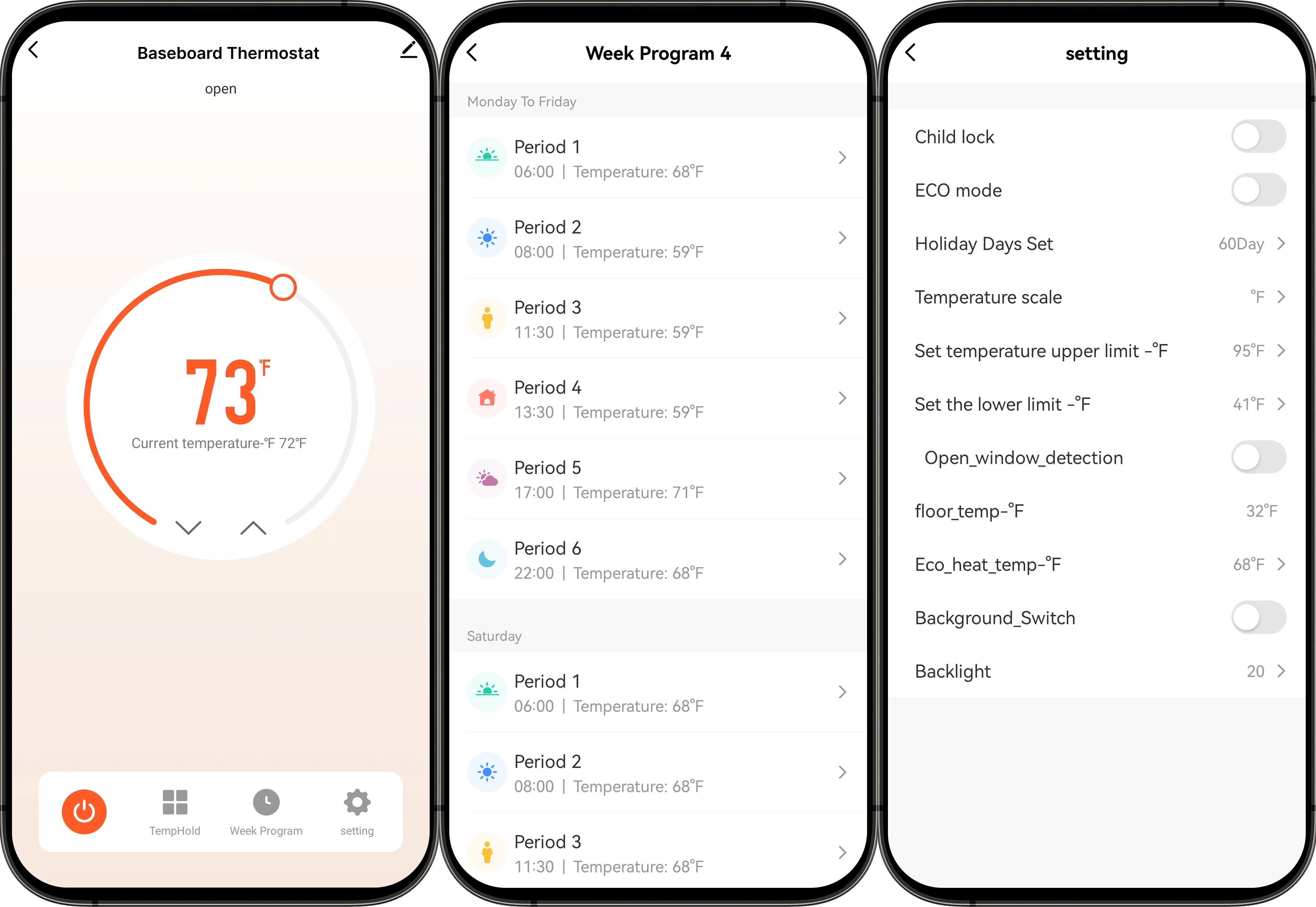
The connected app helps manage supported heating routines, but the buying decision still starts with system category, voltage, load, wiring, and installation boundaries.
A thermostat PDP should help customers recognize the product, understand where it belongs, and confirm that the heating system is the right category.
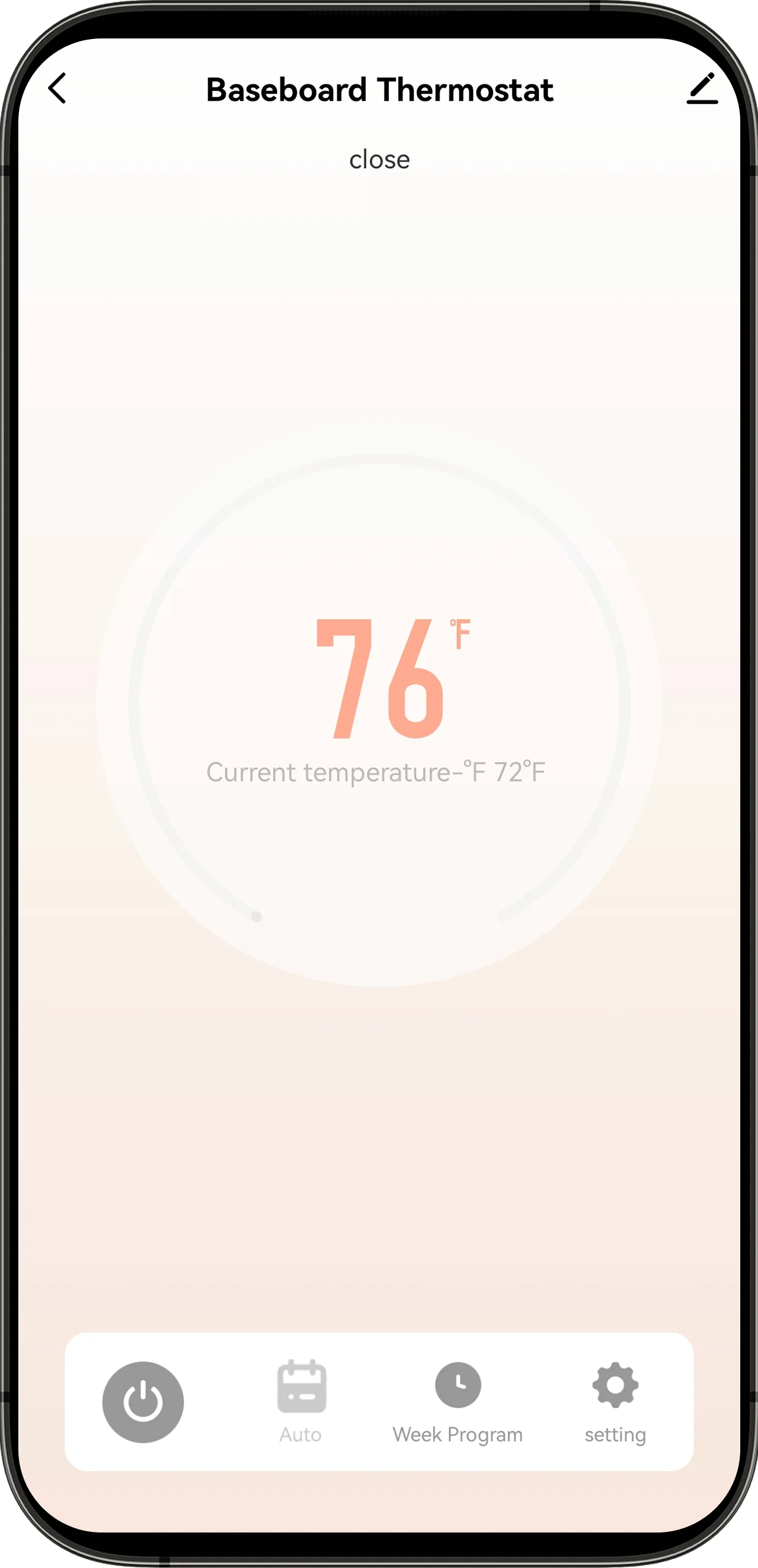
Review compatibility, setup, measurement, app, and support boundaries before choosing the next step.
product documents, certification records, and store policies are available when applicable.
Use the product manual for voltage, load, wiring, setup, and product-specific documentation.
Compliance evidence EcoNet-BH CE EMC AttestationThe attestation covers the BHT-9000 model family and is provided as a document reference, not as wiring approval.
Store policy Shipping, Returns & WarrantyReview store policy terms for direct Grus.io purchases.
Use support when compatibility, installation responsibility, or product scope is not clear.
Read the heating type, voltage, load and wiring questions to discuss with your installer.
Compatibility Guide VOLTCompare line-voltage and low-voltage thermostat paths before choosing the product.
Compare voltage ASKUse support when the product requirements or the heating system category are unclear.
Ask About CompatibilityUse these answers to decide whether the product fits the home and when support should step in before an order.
No. It explains the system information to review, but it is not an automated fit check or installation approval. Have a qualified electrical professional verify the actual heating system against the product instructions. Ask Grus if the product requirements are unclear.
Do not choose it by appearance alone. Check heating type, voltage category, wiring, load requirements, and final product documentation before ordering.
It may, but baseboard fit depends on the exact heating system, voltage, load, wiring situation, and product specifications.
No. They are different thermostat categories. Use the voltage comparison guide if the current system category is not clear.
No. Use the product manual and qualified local guidance for installation questions.
If the heating system category, voltage, wiring, or load requirements are unclear, use the compatibility guide or contact support before choosing the thermostat.
Start with heating type, voltage category, wiring, and load.
Use the product manual and model-matched compliance evidence before checkout.
Ask support before choosing the thermostat if fit is not clear.