Why Monitor Both Legs of Your Home’s Supply?
A whole-home total shows how much electricity you use. Circuit data can help you understand which monitored loads contribute to that total. These answer different questions, and the CT bundle you choose determines the coverage available.
Your utility’s meter remains the source for billing. Check your utility account first: some providers offer interval readings and usage history. A home monitor can add a separate view of your household’s use, but it does not replace the billing meter.
What Is a Split-Phase Energy Monitor?
A 120/240V split-phase service has two hot legs and a center-tapped neutral. The nominal voltage is 120V from either leg to neutral and 240V between the two legs. These are voltage relationships, not installation instructions. Eaton explains the center-tapped supply arrangement.
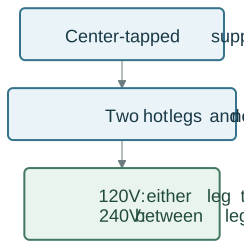
Both legs need to be accounted for when measuring total split-phase consumption. A reading from one monitored circuit is not a whole-home total.
Introducing WattPanel-2X
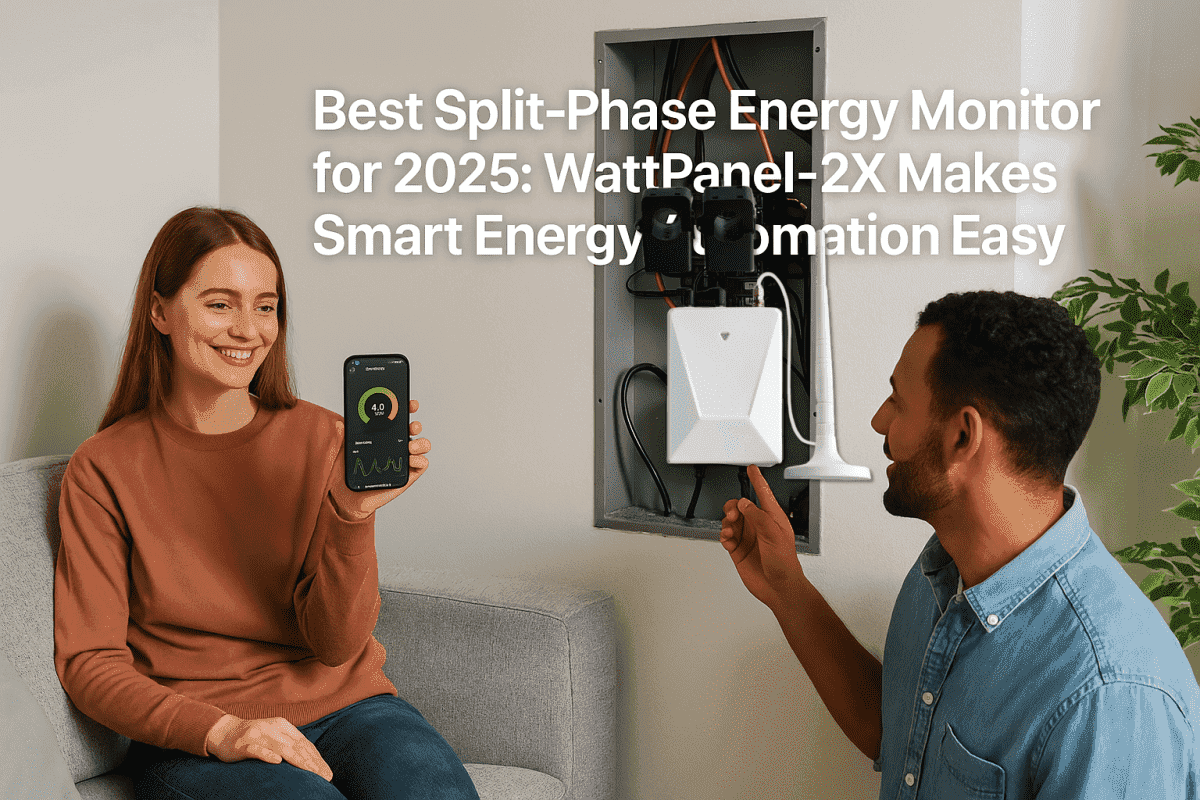
WattPanel-2X provides electricity visibility for supported 120/240V split-phase panels. Choose the bundle for the main supply and the branch circuits you want to monitor.
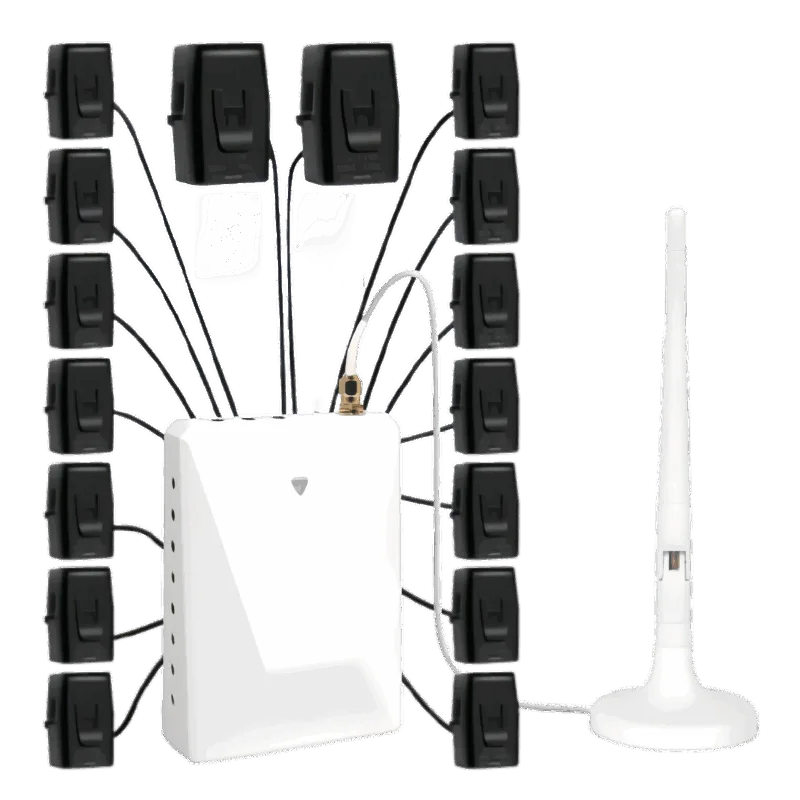
Before ordering, confirm the supply type, CT rating and opening size, available panel space, and the number of circuits in the selected bundle. The product page and model manual should guide those checks.
What Can the Data Help You Decide?
The monitor measures electricity use. You decide what to change after reviewing the data and the controls available on your appliances.
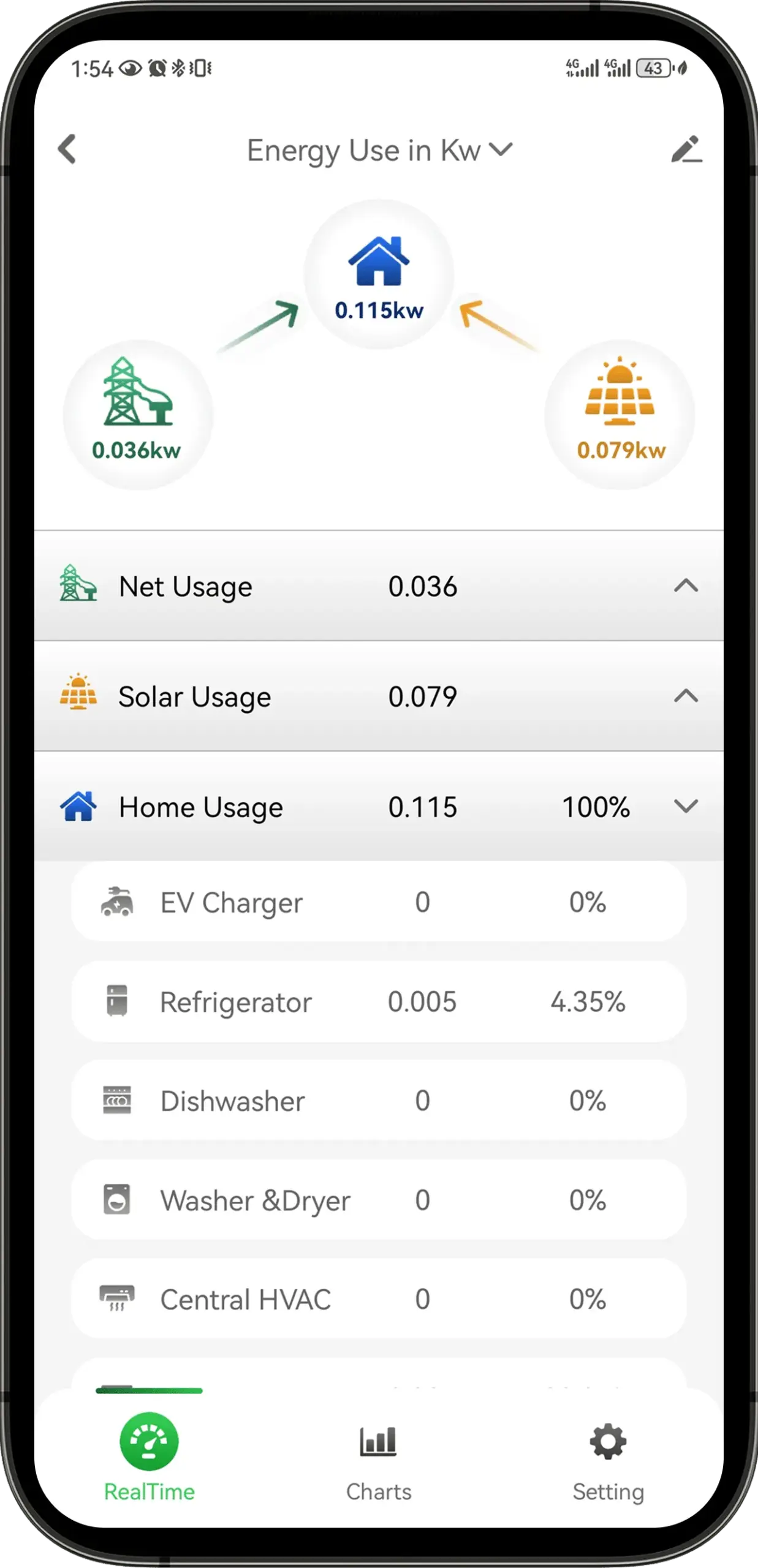
Reviewing EV Charging
Compare the charging period with your usage history and electricity tariff. If your charger supports scheduling, use the charger’s own settings and instructions to choose a suitable time. Monitoring does not itself authorize charging, access your utility’s pricing API, or prevent a breaker from tripping.
Understanding Solar and Battery Readings
Confirm the supported measurement arrangement before comparing grid, solar or battery data. They are different measurement points, and the selected sensors must cover the intended points. A monitoring graph is not a command to charge a battery or start an appliance.
Comparing Busy Periods
A high-usage period can be a useful starting point for reviewing appliance schedules. It does not, by itself, identify a fault or show that a circuit is overloaded. Ask a qualified electrician about electrical capacity or unexplained readings.
| Question | What to compare | What still needs confirmation |
|---|---|---|
| When do I use the most electricity? | Usage across comparable days | Weather, occupancy and appliance schedules |
| Does charging change my bill? | Charging times and the actual tariff | The charger’s settings and billing charges |
| Which circuits contribute to the total? | Individually monitored channels | Sensor coverage and accurate circuit labels |
| Did a schedule change help? | Similar periods before and after | Changes in rates and household activity |
How WattPanel-2X Compares to Other Energy Monitors
Compare documented coverage and installation requirements rather than assuming every monitor has the same capabilities.
| Option | Useful for | Check before choosing |
|---|---|---|
| Utility usage portal | Billing history and available interval data | Reporting delay and detail offered by your utility |
| Plug-in monitor | A compatible appliance connected through it | Appliance load, plug type and monitor rating |
| Panel monitor | Whole-home and selected circuit measurements | Supply compatibility, CT bundle and professional installation |
Savings depend on the changes you make, your tariff and your household’s needs. A monitor alone does not guarantee a lower bill or a payback period.
Installation Overview
Have a qualified electrician confirm compatibility and install the monitor according to its current manual. The position of the main breaker handle is not a substitute for professionally establishing safe working conditions. Do not remove the panel cover or attach sensors yourself on the basis of this article.
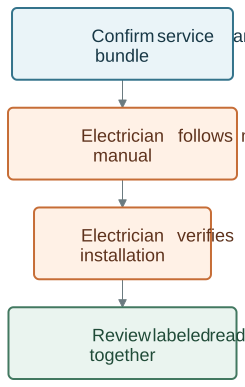
The handover should make clear what each channel measures and what is outside the installed coverage. Keep the model manual with your installation records. Electrical work should follow applicable rules for qualified personnel and de-energization; OSHA describes these work practices.
Explore WattPanel-2X for Home Energy Monitoring
Start with the WattPanel-2X product details and available bundles. For a wider comparison, see energy monitoring products. If your panel or CT fit is unclear, ask support before ordering.