
Multi-circuit monitoring
Plan the Circuits Before You Add Monitoring Channels
Multi-circuit monitoring is useful when selected loads need separate context, but every channel adds fit, labeling, and interpretation decisions.
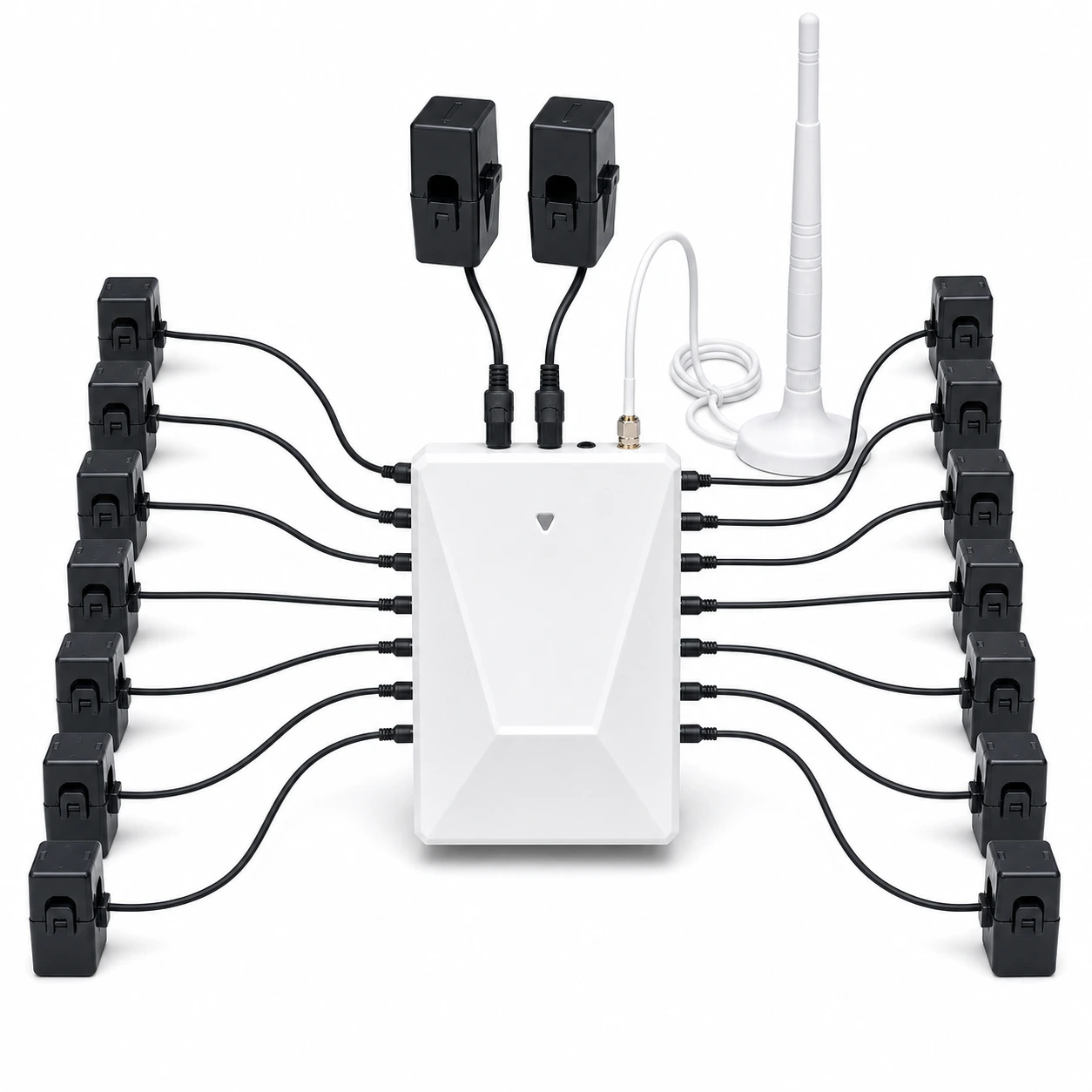
The decision in one minute
Multi-circuit monitoring assigns separate measurement channels to selected conductors or circuits so their patterns can be reviewed alongside a broader energy view. Before choosing a system, define the circuits that matter, confirm service and panel fit, match the documented CT scope, plan clear channel labels, and confirm qualified installation responsibility.
Check these four areas first.
Channel purpose
Each selected channel should answer a named household, equipment, or operating question.
Service context
Confirm service type and the product's intended measurement configuration.
Panel fit
Review conductor access, CT clearance, device placement, and installation boundaries.
App labels
Plan durable names so history remains understandable after installation.
01
Give every channel a reason to exist.
A long channel list is not automatically useful. Start with loads or areas that support a recurring decision, then preserve room for future questions if the product and installation allow it.
Major operating pattern
A load whose timing or duration needs separate review.
Household change
A new load, schedule, or energy source that deserves its own context.
Troubleshooting aid
A circuit selected to narrow a question without claiming equipment diagnosis.
No clear use
Do not add a channel only because an input is available.
02
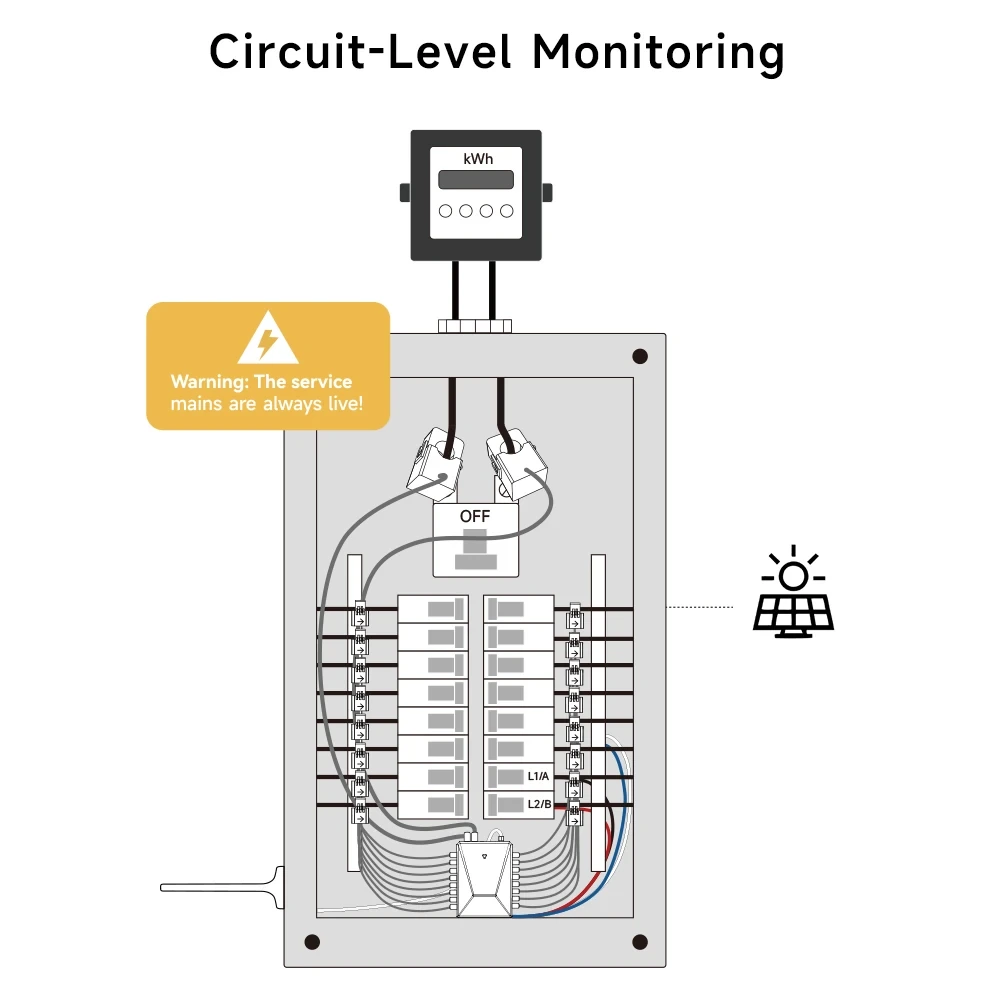
Review service, conductors, CTs, and enclosure space as one system.
The monitor, CTs, conductors, panel layout, antenna or communication path, and local installation rules all affect the final fit. A channel plan is incomplete until the physical context has been reviewed.
-
Confirm service context
Use the product documentation to establish whether the product matches the electrical service and measurement objective.
-
Map intended channels
List selected circuits and the decision each one should support.
-
Review physical fit
Check documented CT, conductor, clearance, enclosure, and device-placement requirements.
-
Confirm installation
Use qualified installation guidance and local rules before panel work begins.
03
Confirm the exact WattPanel-3X configuration before ordering.
WattPanel-3X is designed for multi-circuit and three-phase monitoring. Channel count, CT package, service configuration, and panel fit depend on the selected option and installation context.
Use the exact product details, package contents, manual, and support guidance before hardware selection or installation planning.
| Decision | What to confirm | Where to verify |
|---|---|---|
| Product | WattPanel-3X option for the intended monitoring scope | Product details and support |
| Service and measurement scope | Must be matched to the intended electrical service and monitoring objective | Exact manual and qualified panel review |
| Channel and CT package | Match the channel count and included sensors to the selected option | Current SKU, package contents, and manual |
| Panel fit and installation | Site-specific and not confirmed by this guide | Qualified installer assessment and local requirements |
04
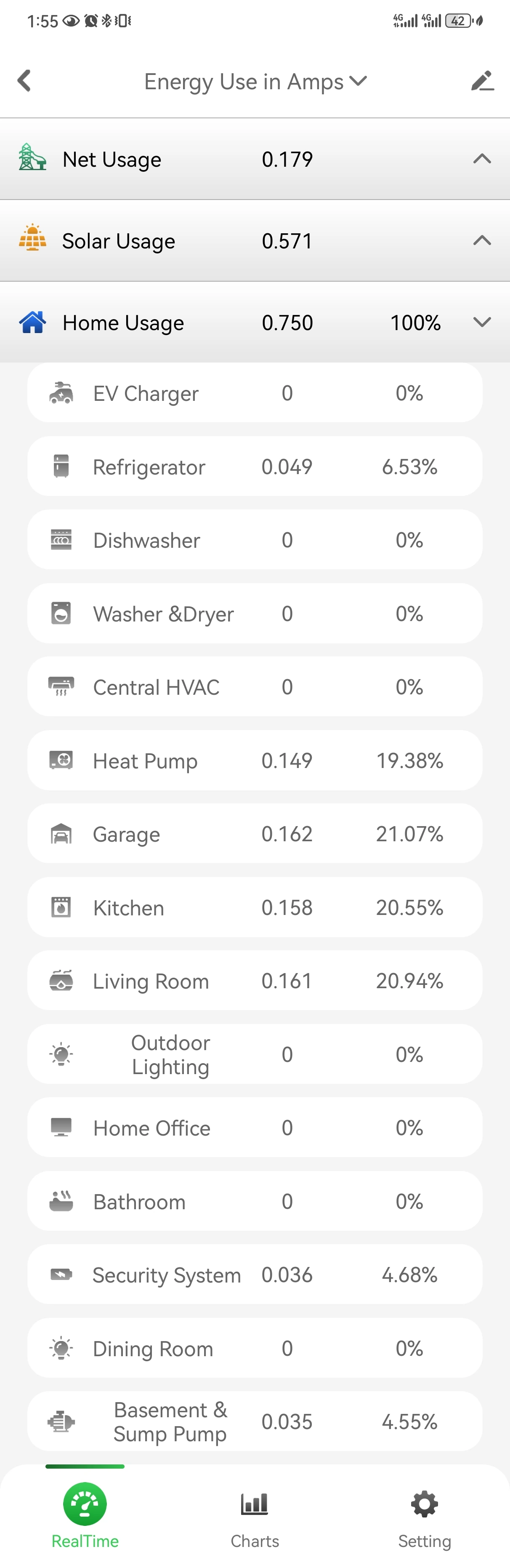
A readable channel plan continues inside the app.
Use names that remain meaningful to the household and installer. Labels such as room, equipment category, or service purpose are usually easier to maintain than temporary troubleshooting notes.
Review the current app interface before buying so the expected channel count and history view align with the monitoring plan.
05
More channels increase responsibility as well as visibility.
Additional CTs and channels increase installation, labeling, verification, and interpretation work. Expand only after confirming product capacity, panel fit, app behavior, support documents, and who owns future changes.
| Ready when | Pause when |
|---|---|
| Each channel has a documented purpose | Channels are being added without a decision goal |
| Product and CT scope are verified | The intended sensor or input combination is assumed |
| Physical fit has been reviewed | Panel access or clearance is unknown |
| Labels and support ownership are clear | No one owns channel naming, changes, or troubleshooting |
06
Questions people ask before the next step
What is multi-circuit energy monitoring?
It uses separate configured measurement channels for selected conductors or circuits so their patterns can be reviewed alongside broader energy data.
Should I monitor every circuit?
Not automatically. Prioritize circuits that support a clear recurring decision, then verify product capacity and panel fit.
What should be planned before installation?
Plan service compatibility, selected circuits, CT scope, physical fit, channel names, app review, installation responsibility, and support ownership.
Can an online guide confirm CT placement?
No. Use the product manual and qualified installation guidance for the specific panel and conductor context.
Choose a product only after the fit questions are clear.
Open the relevant product page when the fit is clear, or contact support with the model and installation details that still need an answer.