WattNet-3 | Energy Monitoring

WattNet-3 Three-Phase Meter Monitor

Review three-phase meter monitoring, CT options, app phase values, and installation context before choosing a path.

Product fit review Available to order after a fit check.

This product is available to order. Confirm system fit, installation boundaries, and the selected Shopify variant before adding it to cart.

  • three-phase meter
  • three-phase service
  • App review
Phase path 3-phase
CT options Multiple
App data Phase
Fit Review
Buying decision

Pick the meter monitor path in three checks.

Use these checks to decide whether to order the product, review compatibility, or ask support.

  1. 01

    Confirm the product role

    Start with three-phase meter and phase-value monitoring and the problem this product is meant to review.

  2. 02

    Check fit and setup

    Review three-phase service, CT size, install location, and network path before treating the product as ready to order or install.

  3. 03

    Ask when unclear

    Move forward only when the compatibility, setup, and responsibility boundaries are clear. If the location, system type, valve, panel, wiring, or local service responsibility is uncertain, collect the context first and use the relevant guide before planning the next action.

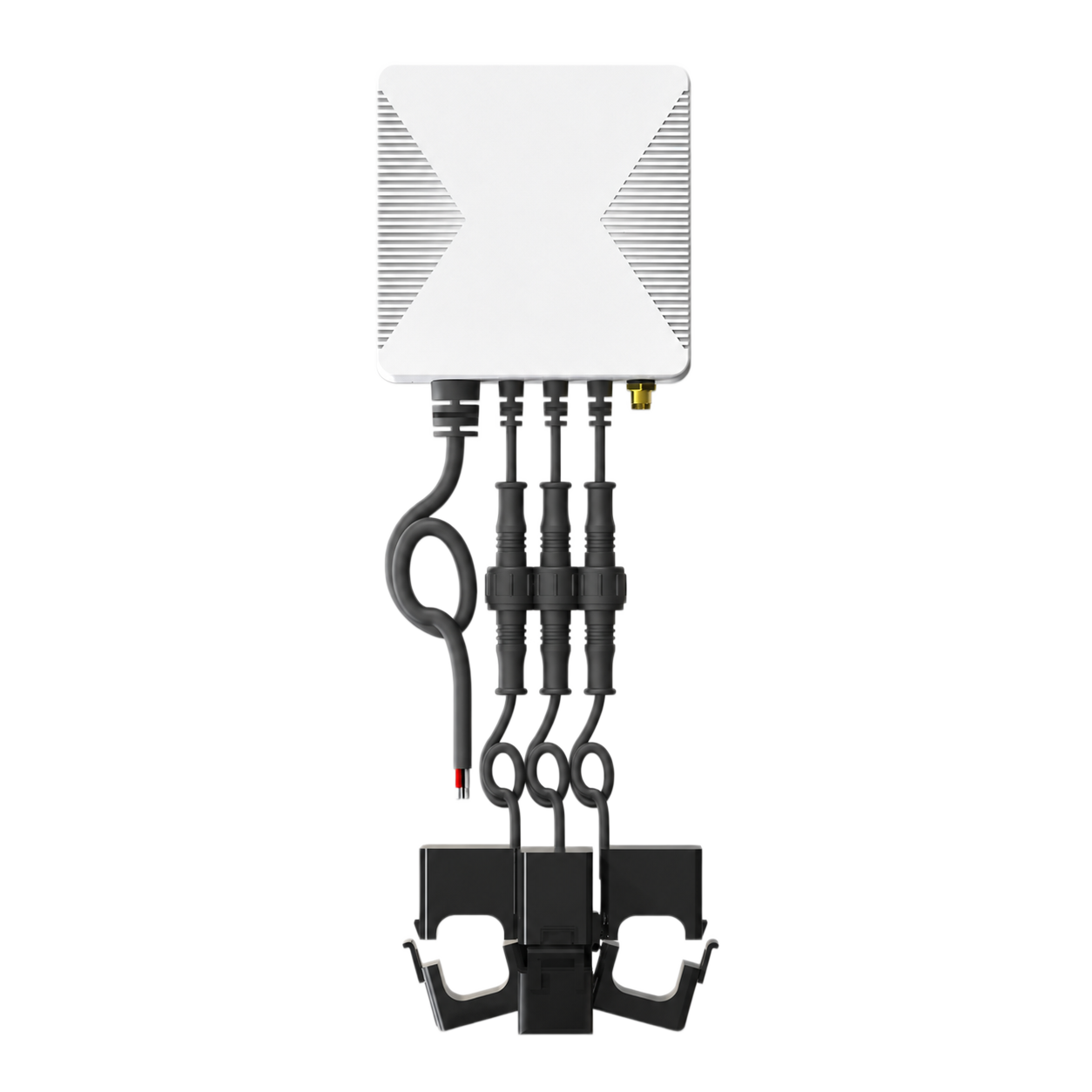
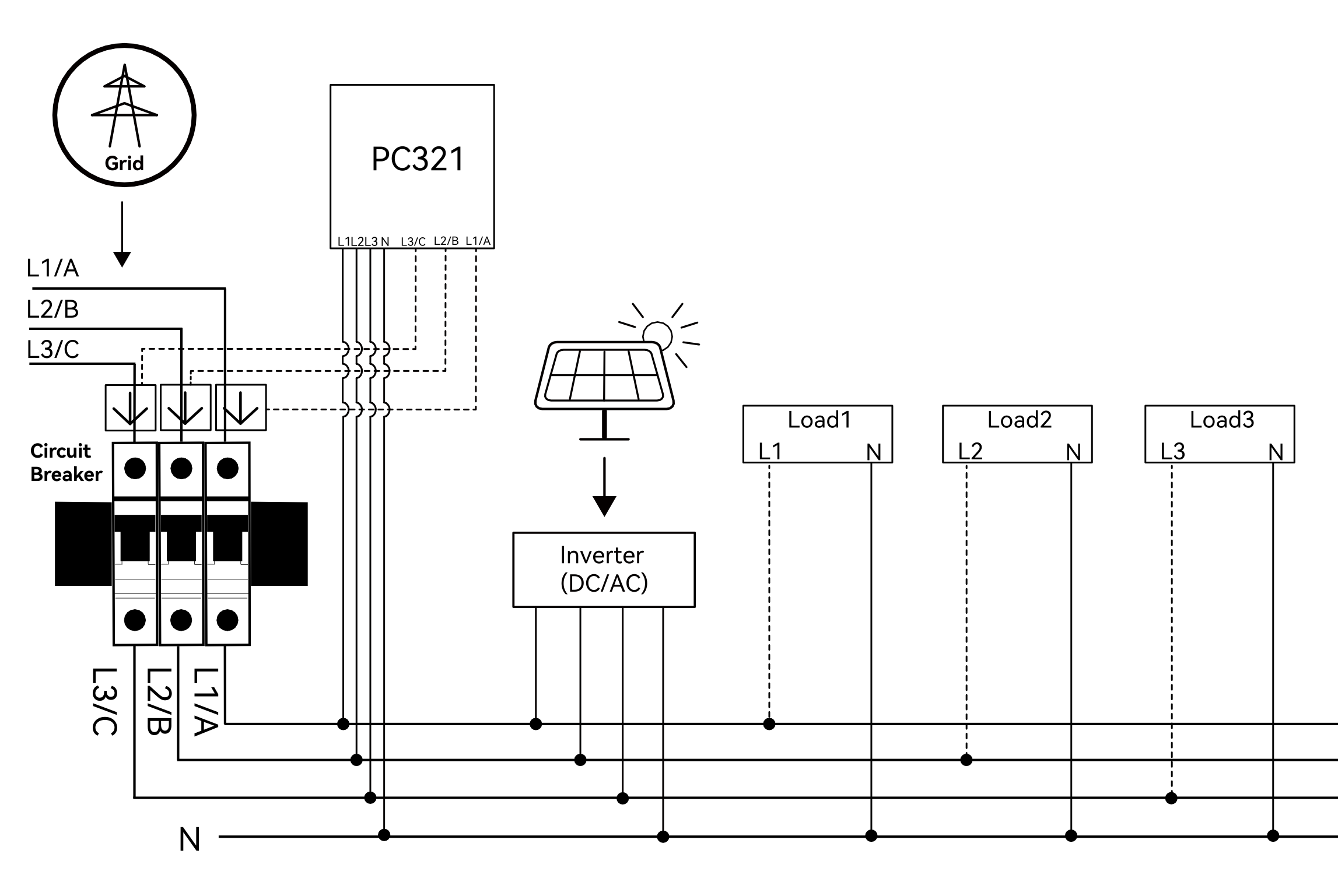
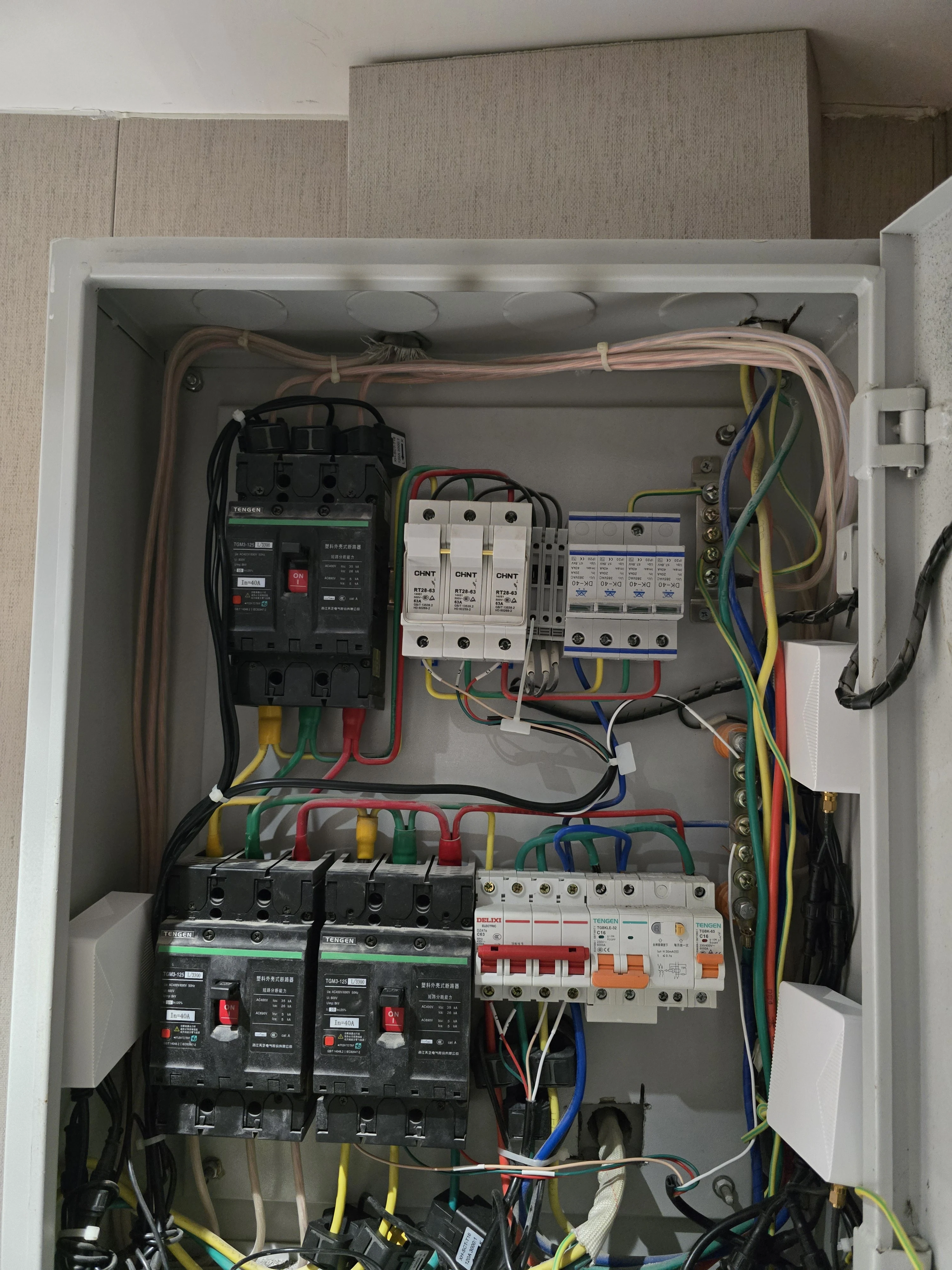
WattNet-3 energy monitor fit check visual
Compatibility context

The purchase question starts with fit.

Before choosing WattNet-3, review three-phase service, CT size, install location, and network path.
Product focus
three-phase meter and phase-value monitoring
Fit check
three-phase service, CT size, install location, and network path
Setup path
qualified electrical or installer review
Boundary
Do not use this page as a wiring guide or billing-meter substitute.

Use WattNet-3 for three-phase meter and phase-value monitoring.

Review three-phase meter monitoring, CT options, app phase values, and installation context before choosing a path.

Product role WattNet-3 is positioned for three-phase meter and phase-value monitoring.
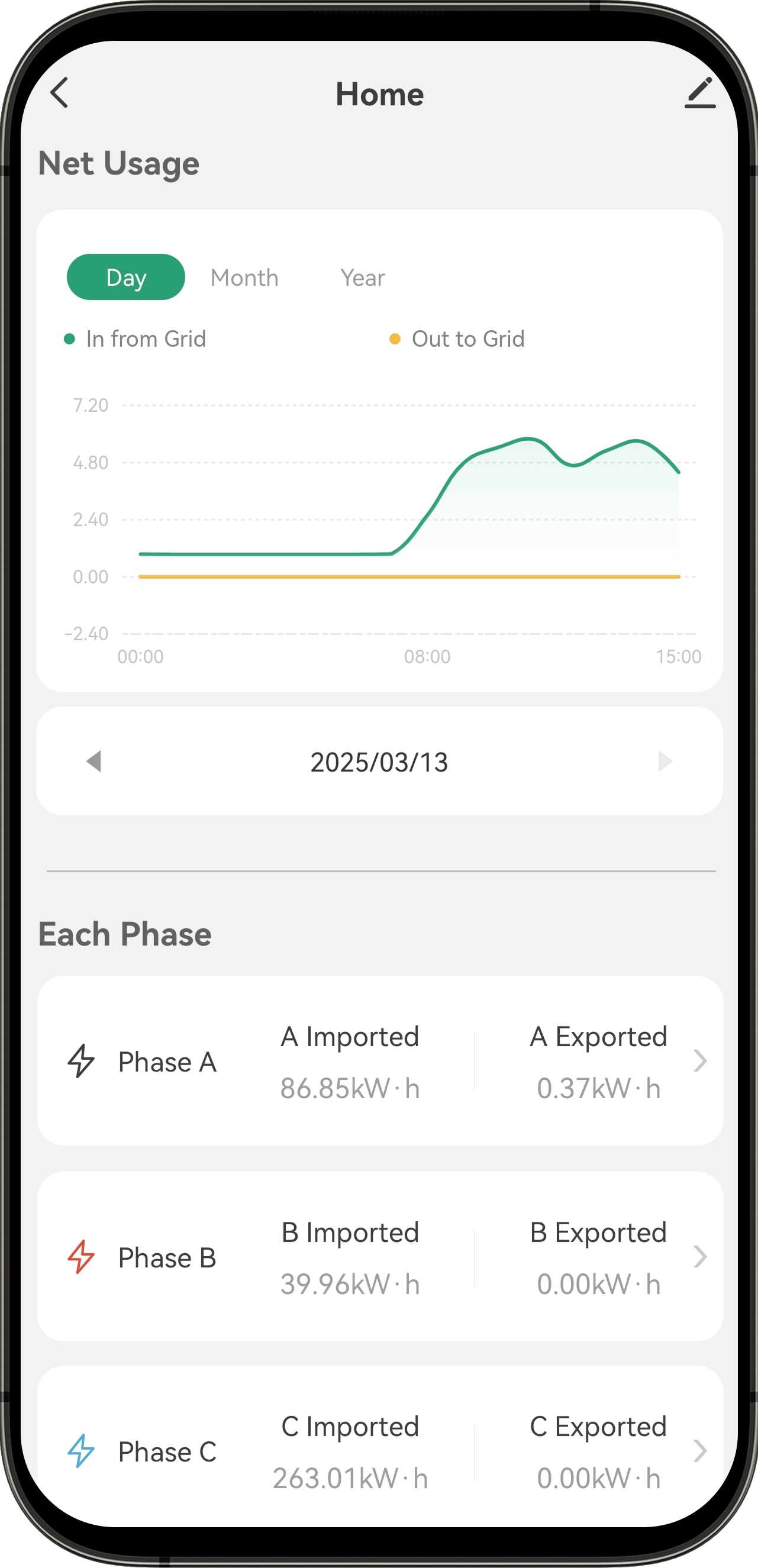
App or status review Use the visuals and app path for phase values, total power, and energy statistics.
Fit boundary Do not use this page as a wiring guide or billing-meter substitute.
Product evidence

Review hardware, setup, and use context separately.

Each visual answers a different question. None of them replaces the exact manual or a qualified fit review.

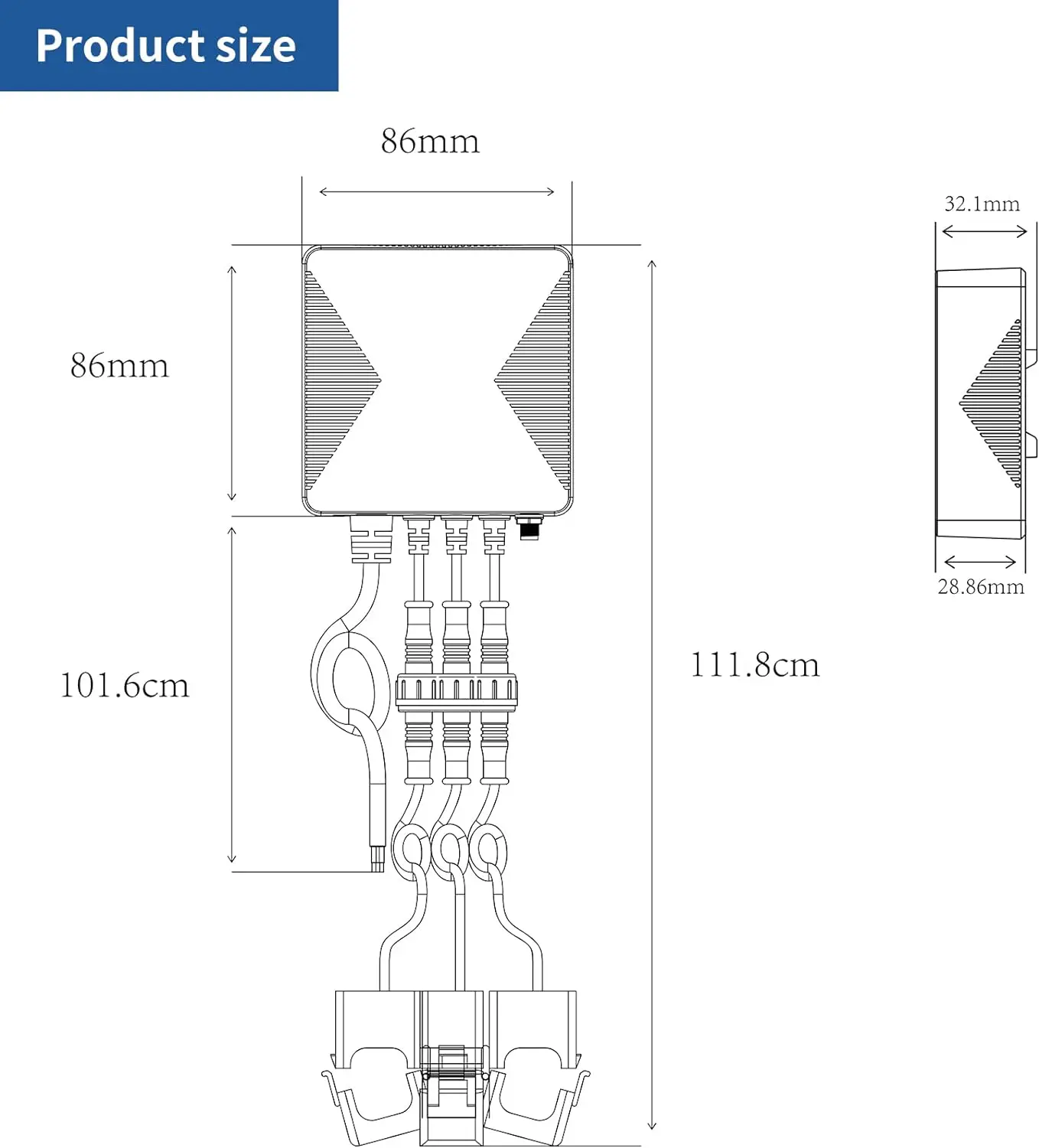
WattNet-3 energy monitor fit check visual
Step 01

Review placement

Check three-phase service, CT size, install location, and network path.

WattNet-3 energy monitor app screen
App insight

Use app and status views to understand WattNet-3.

The app/status path helps review phase values, total power, and energy statistics, while compatibility and setup boundaries still come first.

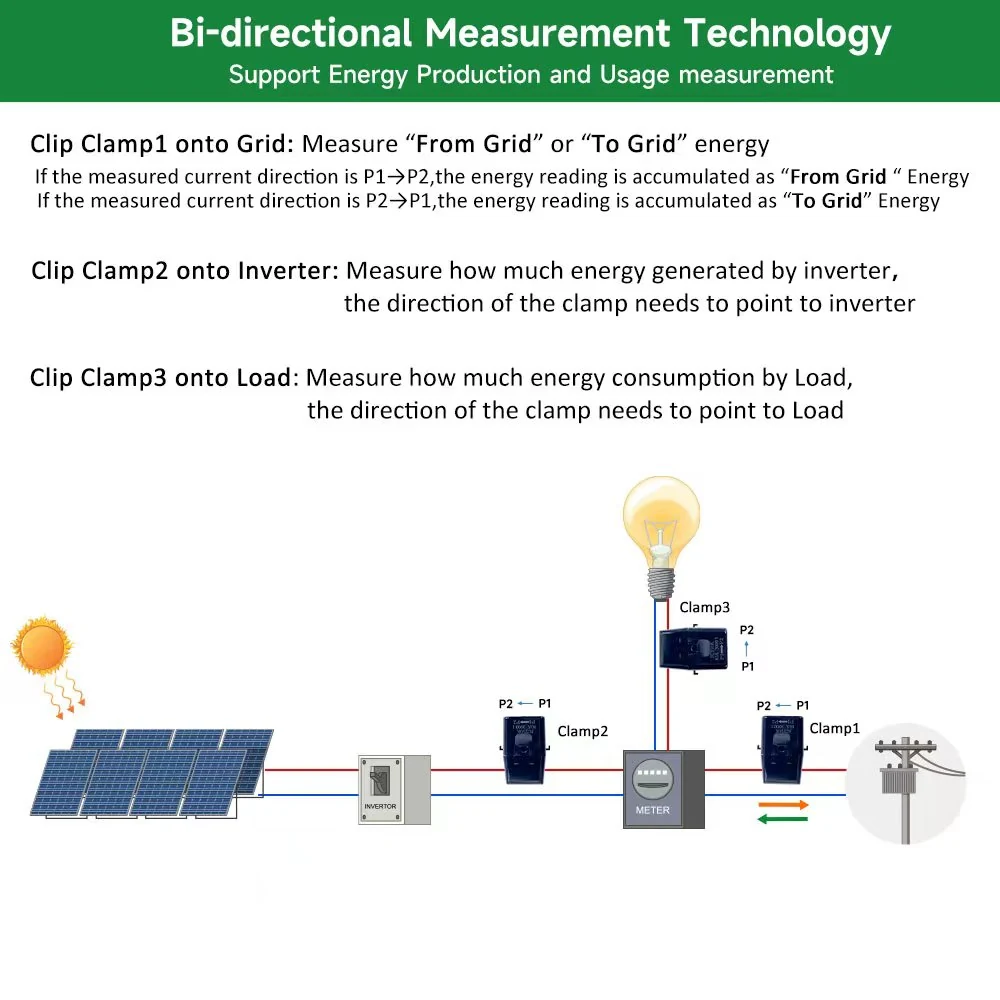
WattNet-3 energy monitor home use context
Real-use context

Show WattNet-3 in the context around it.

Product pages need real product, setup, and app visuals so customers understand the product role before acting.

WattNet-3 energy monitor fit check visual
Before you choose

Confirm WattNet-3 fit before planning the next step.

Use this checklist before choosing WattNet-3 or asking support to review it.

  • Confirm three-phase service, CT size, install location, and network path.
  • Review qualified electrical or installer review.
  • Use product documentation and support when the setup is unclear.
  • Do not treat product images as installation instructions or universal compatibility proof.
Product scope
Model
WattNet-3
Product path
three-phase meter and phase-value monitoring
App/status path
phase values, total power, and energy statistics
Fit review
three-phase service, CT size, install location, and network path
Before choosing
Installation
qualified electrical or installer review
Support boundary
Do not use this page as a wiring guide or billing-meter substitute.
Next step
Choose a live variant after compatibility review, or ask support
Buying questions

Resolve the blocking question before moving forward.

Use compatibility guidance for known checks and support when the product, installation, or responsibility boundary remains unclear.

What should I check before choosing WattNet-3?

Confirm three-phase service, CT size, install location, and network path. Do not use this page as a wiring guide or billing-meter substitute.

What is WattNet-3 for?

WattNet-3 is positioned for three-phase meter and phase-value monitoring.

Can I use this page as installation instructions?

No. This page is for product and compatibility planning. qualified electrical or installer review should be confirmed from documentation and support.

What should I do if compatibility is unclear?

Use the relevant compatibility guide or send a support request before planning an order or installation.

WattNet-3 energy monitor app screen
Next step

Move forward only after the fit path is clear.

Review WattNet-3, confirm three-phase service, CT size, install location, and network path, and use support when the setup is not clear.

Confirm product role three-phase meter and phase-value monitoring
Check fit three-phase service, CT size, install location, and network path
Ask when unclear Do not use this page as a wiring guide or billing-meter substitute.