The Best Thermostat Starts With Compatibility
Identify the heating or cooling system and check the exact thermostat’s requirements before comparing app features.
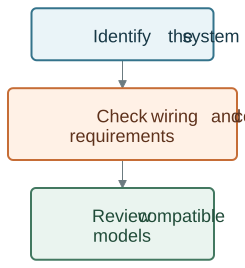
Do not select a thermostat from an unsupported brand ranking or from the presence of solar panels. The heating or cooling system’s documented requirements come first.
Compare Product Roles Before App Features
| System question | What to establish |
|---|---|
| Electric baseboards | Exact supply, load and line-voltage control requirements |
| Heat pump | Required control interface and equipment configuration |
| Other heating/cooling system | Stages, power and supported control arrangement |
| Radiator valve | Valve body, adapter and mechanical fit |
| Multiple zones | Which equipment actually controls each zone |
EcoNet-BH, EcoNet-HP, EcoNet-TU and EcoNet-RV serve different roles. Review the exact product manual and current specifications; do not treat a family name or voltage alone as a complete compatibility check.
A Thermostat Is Not an Energy Dispatch Controller
A thermostat, an energy monitor and the home’s electrical equipment have different roles. Do not assume a thermostat receives another device’s readings unless that integration is documented.
| Part | Review separately |
|---|---|
| Thermostat | Heating or cooling control compatibility |
| Energy monitor | Supported electricity measurements |
| Solar or storage equipment | Its own controls and requirements |
| Integration | Exact data and actions supported |
A home with solar and a battery still needs the appropriate heating control. Solar generation, storage operation and thermostat settings are distinct functions. Do not assume EcoNet-TU reads a WattPanel monitor or changes HVAC operation in response to it.
If that relationship is important to a project, identify the actual supported input, command, integration and permissions before relying on it.
Compare Features You Can Verify
Ask which local settings, schedules, remote controls and reports the exact product provides. A report may be a runtime estimate rather than measured electricity. A schedule may be user-defined rather than learned.
For a third-party platform, check the specific device and supported actions. For network loss, consult the manual rather than assuming every thermostat retains the same functions.
Plan Qualified Installation
Have the system and thermostat requirements reviewed before wiring changes. Keep the exact model, installation details and manual available for support. This guide does not provide terminal assignments or an electrical installation sequence.
After setup, confirm the supported controls with the installer and review how occupants can make a temporary adjustment without confusing it with the stored schedule.
Assess Value Without a Guaranteed Saving
Use current prices and a complete installation quote. Ask the program administrator about actual rebate eligibility; an old article or a smart label does not establish participation.
Compare electricity or fuel use over similar periods, accounting for weather, occupancy and tariff changes. A claimed one-month saving or hypothetical family example is not evidence of what your system will achieve.
Read the Smart Thermostat Heating Guide to review the available paths and choose a suitable product for the installed equipment.